
SoundCloud Plays and Likes: Meaning and Authentic Growth

The most popular advice treats SoundCloud plays and likes as a scoreboard. Push the totals up, and the track looks healthy. That advice skips the only question that matters for an independent artist. Did anyone come back?
A high play count can hide a room full of people who heard the track once and left. Exposure and commitment are different jobs. If you only watch the bigger number, you will keep feeding tactics that inflate reach while your actual audience stays the same size.
Table of Contents
- What Plays and Likes Actually Measure
- Where to Find Plays and Likes in Your Analytics
- Tracing Which Sources Produce Listeners Who Return
- How to Build Plays and Likes Through Authentic Discovery
- Growth Shortcuts That Put Your Numbers at Risk
- Pick One Growth Step and Measure It for 28 Days
What Plays and Likes Actually Measure
A play records exposure. A like records a choice to keep the track. Reading them as one score hides which listeners are still moving through your music and which ones stopped after a single pass.
SoundCloud's Insights help counts a play when someone listens on the SoundCloud website, the embedded player, the mobile apps, or through the API. For podcasts, streams and downloads delivered through an RSS feed count too. A like happens when a listener saves the track to their personal Library. Logged-in listener activity may show up quickly, while some other play data can lag behind real-time activity, so a busy afternoon will not always match the chart the same hour.
The split works like a shop window. A play is a passerby who glanced in. A like is the person who stepped inside and asked for a card. A large crowd at the glass can sit next to a very short list of people who asked to stay in touch.
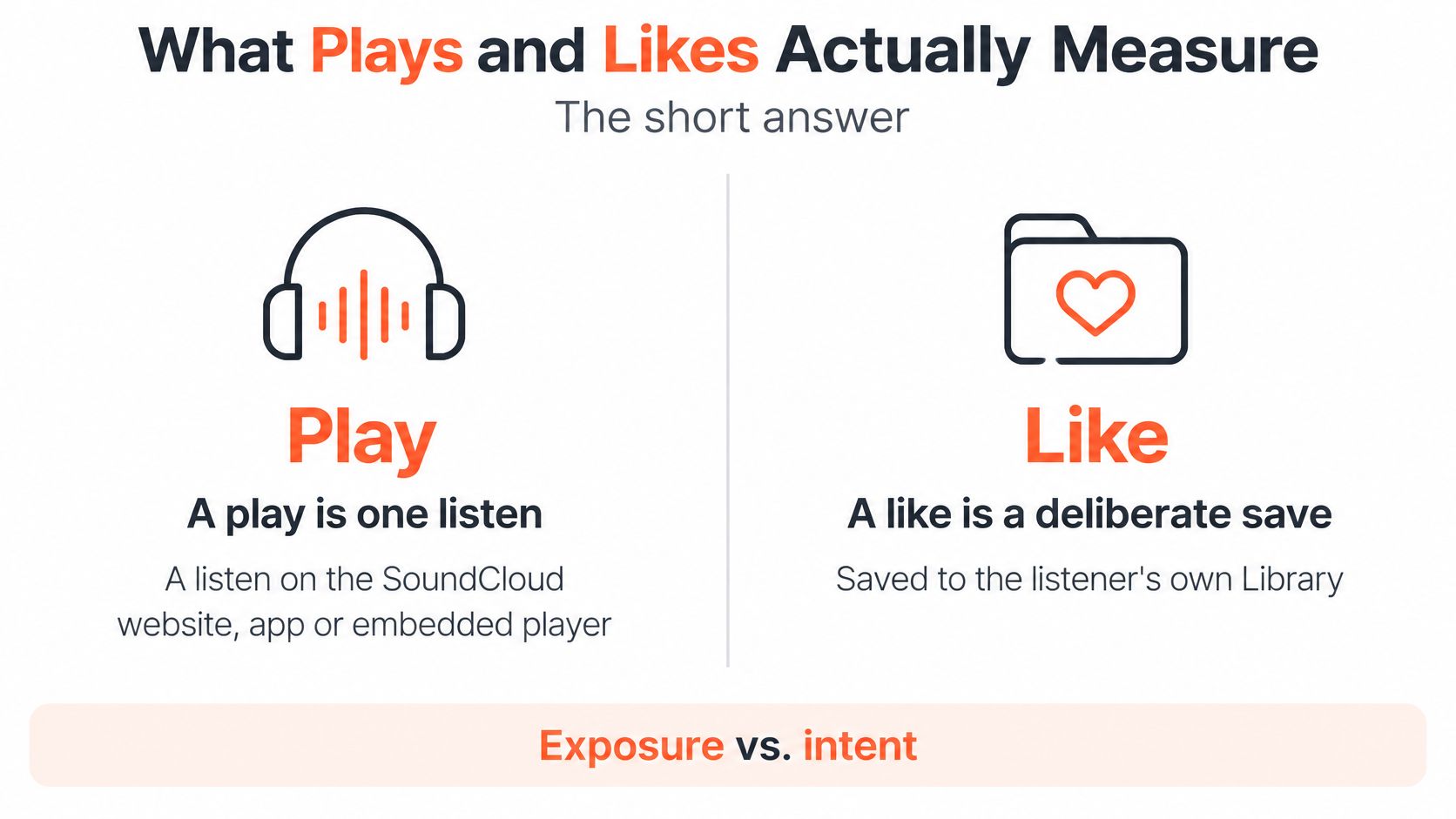
| Signal | What it counts | Intent it shows | Where to check |
|---|---|---|---|
| Play | One listen on the website, embedded player, mobile apps or API; podcast streams and RSS downloads also count | Exposure on a first listen, and repeat listening if that person comes back | Track totals in Insights |
| Like | A listener saves the track to their personal Library | Deliberate approval, often the step between a first listen and a later return | Track totals in Insights |
ClipCreator's engagement measurement guide walks through the same split between reach and intent on other platforms.
Practical rule: Plays measure exposure and repeat listening. Likes measure commitment, and a library save is the clearest public sign that a listener may return.
Where to Find Plays and Likes in Your Analytics
Start with where each number lives, then decide when it is safe to trust it. Public counters and private reports answer different questions, and reading the wrong one first leads to bad release decisions.
| Signal | Public or private | Detail provided | Timing |
|---|---|---|---|
| Public play and like counters | Public by default | Total plays and likes on each track | Visible to all visitors |
| Quiet Mode (Artist Pro) | Hides public counts | Hides plays, likes, comments and reposts from visitors | Applies to public display |
| Insights by track, audience and location | Private, for the artist | Breakdown by country, city, source and time | Day, week, month and year views |
| Download counts (Artist Pro) | Private, signed-in account only | Download activity for Artist Pro tracks | Visible only while signed in |
| Listener activity | Private analytics | Logged-in listeners may appear in real time | Other play data can take up to 24 hours |
SoundCloud's podcast Insights documentation says plays, likes, comments, and repost counts are publicly visible on tracks by default, so any visitor can see them. Artist Pro users can turn on Quiet Mode to hide those public counts. Download counts on Artist Pro tracks stay private and show only to the signed-in account. Advanced SoundCloud Insights can be reviewed across day, week, month, or year views, which is how you compare a launch spike with the weeks after it.
Public counters are social proof. They tell a newcomer the track has been heard. Private analytics tell you who listened, where, and through which source. Judging a release in its first hours misleads you, because part of the play data is still catching up. Our notes on reading SoundCloud engagement go further into what those private breakdowns are for.
Before you draw a conclusion, run this short check.
- Confirm the window: Wait until the reporting period you care about has finished updating.
- Compare two views: Match the public total against the Insights breakdown for the same track.
- Then decide: Only after those two agree should you call a release strong or weak.
Tracing Which Sources Produce Listeners Who Return

The useful question is which source produced listeners who came back, not which source produced the biggest pile of first listens.
Read each source by what it suggests
Playlists put the track in front of that playlist's audience. The test is whether the same listeners play it again and save it, not whether the playlist added a few hundred first plays.
Embeds and websites bring people who chose to press play somewhere else, often on a blog or a mix page. That choice is usually a stronger intent signal than autoplay.
RSS feeds reach podcast subscribers who already opted in. Compare those downloads and streams with later listens on the track page. Subscribers who never return are an audience you don't have.
Say a track picks up 4,000 plays, mostly from autoplay, and only 30 likes. The spike shows exposure, not commitment. The next move isn't more of the same traffic. It's finding the small set of listeners who saved, commented, or played it twice.
Recommendation plays prove the platform tried the track with new people. They earn their keep only when they turn into saves and repeat listens. Treat discovery as the start of a funnel.
Say you upload on Friday and week one brings 1,200 new listeners. About 60% arrive from one playlist and 40% from an embed on a blog that covers your scene. You tag each group by source and release week, then you leave them alone until the checkpoints.
Only signed-in listeners show up in some top-listener views, and some updates lag. Compare cohorts over the same window, or the quieter source will look worse only because its data arrived later.
| Checkpoint | What to measure | Question it answers |
|---|---|---|
| 7 days after release | New listeners, plays and likes by source | Which sources brought the first listens? |
| 28 days after release | Did those listeners come back? | |
| 90 days after release | Saves over time and emerging top fans | Is a community forming around the artist? |
Broad traffic can inflate totals and still fail to build a community you can reach again. After each release, ask which source produced the listeners who came back.
How to Build Plays and Likes Through Authentic Discovery
Authentic discovery means reaching listeners who already like similar music, then giving them a clear reason to engage. SoundCloud plays and likes grow when that match is real. A mismatched playlist can add plays and still leave your Library empty.
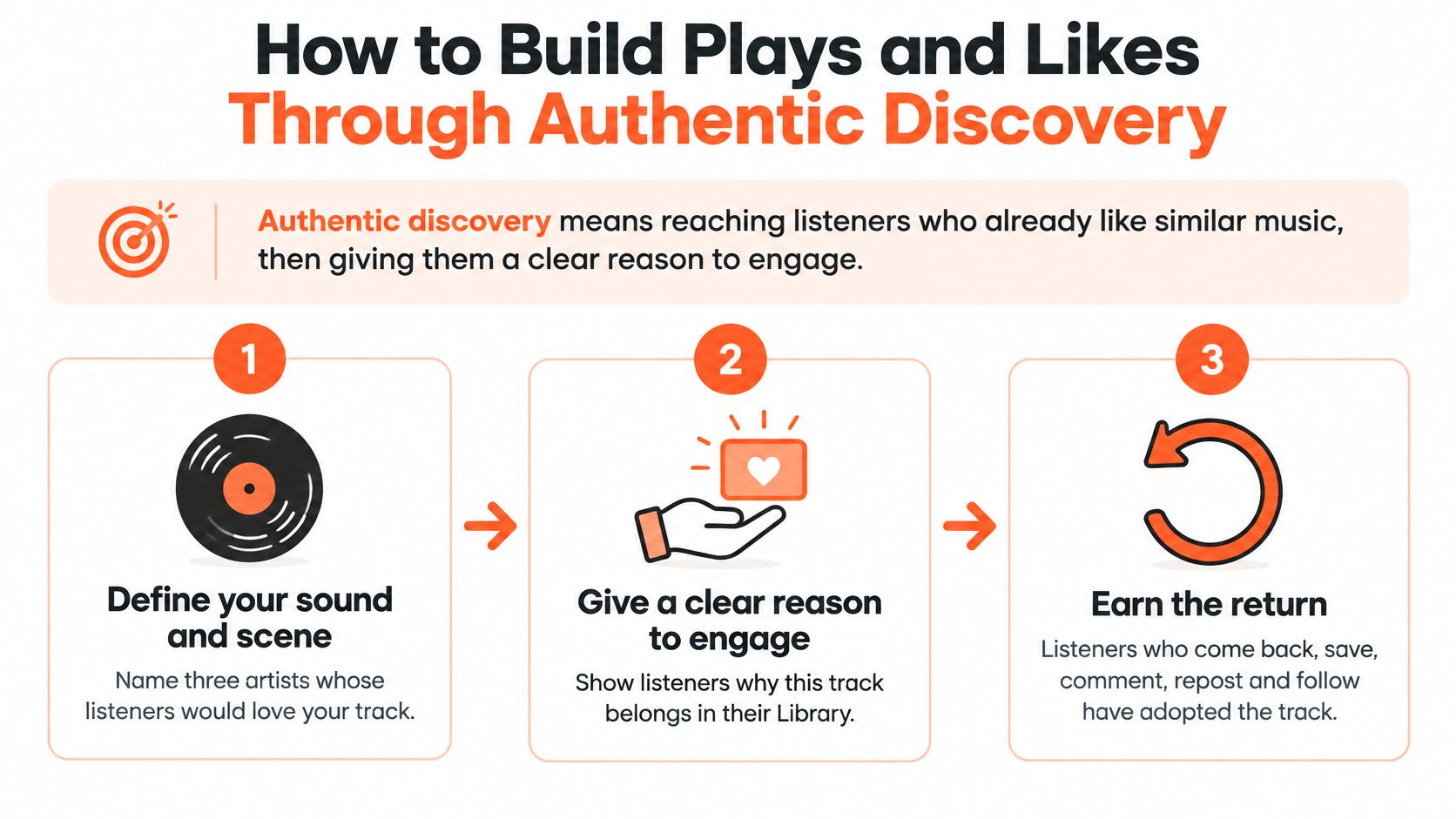
Define your sound and scene. Name three artists whose listeners would like your track, and note the genre and scene tags on their uploads. This keeps later pitches inside a real neighborhood. The slip is tagging five genres so the track looks findable to everyone and fits no one. A similar artists finder is a practical way to build that short list from profiles, not from guesswork.
Set a release rhythm. Publish on a schedule returning listeners can expect, even if that is one track every few weeks. Predictability gives people a reason to check back. The slip is dumping three uploads in a weekend and then going quiet for months.
Make the first seven days count. Pitch the new track to playlists, blogs, and embed partners whose audiences already sit in your scene. Streaming and social promotion tactics are worth reading before you send those pitches, because the fit of the outlet matters more than the size of its audience. The slip is blasting every playlist that accepts submissions.
Start real conversations. Reply to comments on your tracks and on similar artists' tracks with a specific note about a section, a mix choice, or a lyric. Specific feedback gets replies. "Fire track" does not.
Repost and credit collaborators. Features and reposts bring their listeners onto your track, and a credit in the description tells that audience why they should stay. The slip is reposting widely with no shared scene, which looks busy and converts poorly.
Ask for the like. Invite people to save the track if it belongs in their playlist or their Library. A direct, optional ask respects the listener. Begging for likes from anyone who paused for ten seconds trains the wrong habit.
Review cohorts at 28 days. Drop any tactic that brought plays without saves, comments, or return visits. Keeping a tactic because the public counter moved is how weak traffic becomes a habit.
After 90 days, a healthy profile looks ordinary in the best way. Plays arrive steadily, the share of likes rises, and a small group of listeners shows up for the next upload without a fresh spike.
Growth Shortcuts That Put Your Numbers at Risk
A high play count does not mean you have fans. It means the track was heard. Bought likes don't fix that gap, and a sudden jump isn't automatically good news.
SoundCloud's Community Guidelines prohibit paying for external promotion services that aren't affiliated with SoundCloud, and they prohibit creating, using, or promoting services that claim to increase followers, plays, likes, or reposts. The platform treats that behavior as spam. It also says meaningful interactions between creators and audiences are the more successful form of promotion.
Fake accounts can play, like, and repost sounds. When SoundCloud detects and removes those accounts, their interactions are deleted. The platform says it can't adjust or restore the affected play counts. A bought spike can vanish and leave the track with a history that no longer matches what listeners see. Our breakdown of fake followers covers why those hollow totals are hard to repair after the fact.
Three assumptions fail this test.
- High plays always mean fans. Plays can arrive from autoplay and one-time curiosity with almost no saves behind them.
- Likes can be bought safely. A removed account takes its likes with it, and you don't get the count back.
- Any sudden jump is good news. A jump that doesn't match a release, a source, or a place is a warning, not a win.
Before you celebrate a spike, check it.
- Does it match the release? The date, the source, and the location should line up with something you did.
- Do deeper signals rise with it? Likes and repeat plays should move, not just the play total.
- Is it still there a week later? A total that collapses after detection was never an audience.
Pick One Growth Step and Measure It for 28 Days
Choose one authentic discovery step for the next release, based on the cohort from the last one. Changing three tactics at once makes the 28-day read useless, because you won't know which change brought the saves.
- Pull plays and likes by source for your last release, using the same windows you already trust.
- Find the source that brought the most repeat listens and saves, not the source with the biggest first-week total.
- Pick one matching step from the list above. That might be a playlist pitch, an embed on a relevant site, or time spent with artists in your scene.
- Log the start date and review the 28-day cohort before you try anything new.
Judge any third-party tool against SoundCloud's Community Guidelines, since services that promise to inflate plays or likes are prohibited, and you remain responsible for your account and the audiences you choose. Measure cohorts rather than chase totals, and log each result so the next release starts from evidence instead of from the highest count on the page.
If you want that listener list built around artists you already respect, SCHelper gives you a daily shortlist of people who engage with music close to your sound and scene. It is built for the same job as this article, finding listeners who might save a track and come back, rather than padding a public counter. Visit SCHelper and start the next release from a cohort you can measure.