How Does SoundCloud Work? Uploads, Discovery and Royalties
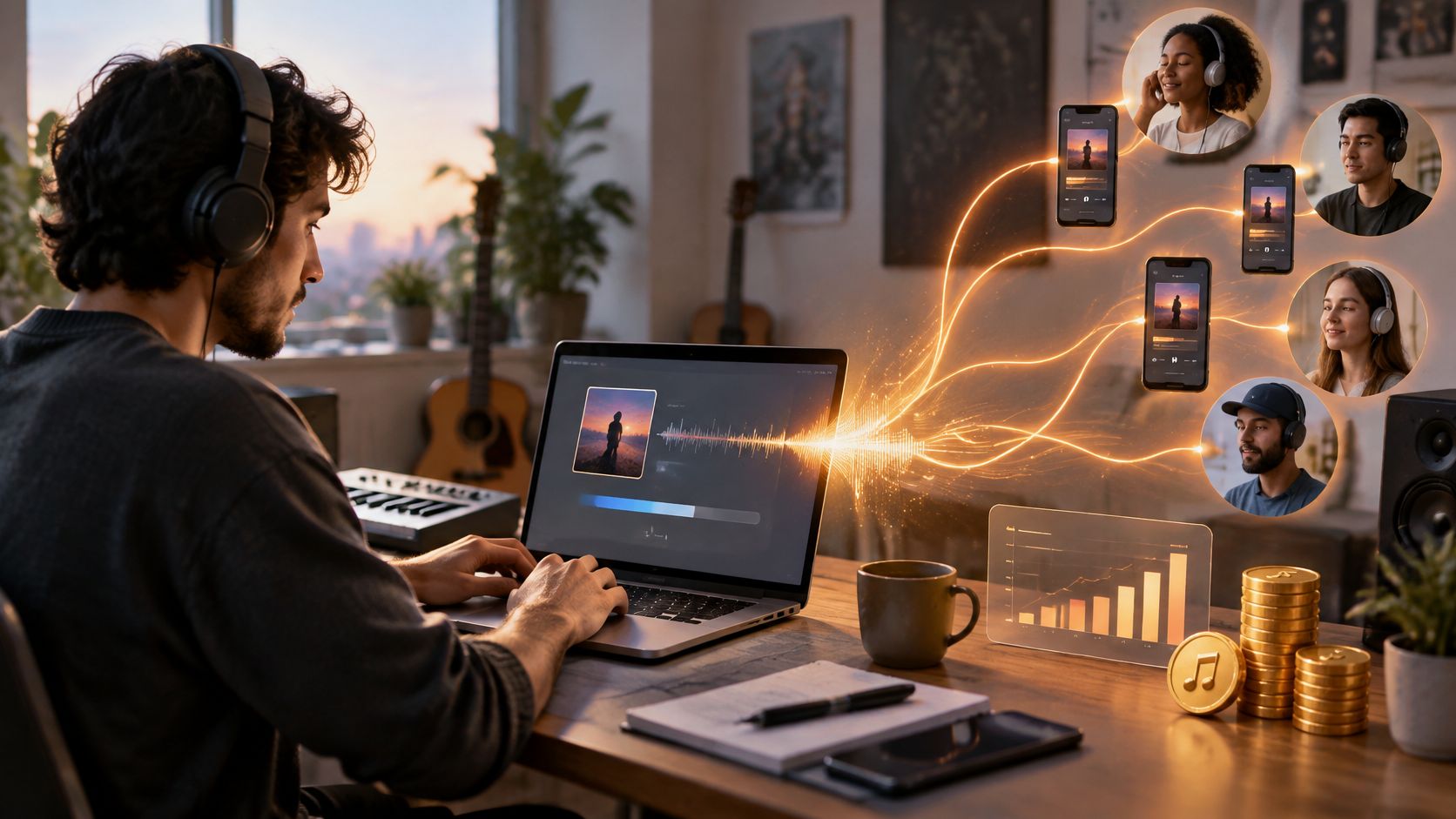
You've refreshed your Insights tab four times since breakfast. The track went live last night, two friends reposted it, and the play count sits at 41. Somewhere between the third refresh and the fourth, the question appears: what does any of this have to do with building an audience, or earning anything from it?
How does SoundCloud work once you look past the upload button? It runs as a connected loop rather than a set of separate features. A play, a repost and the same listener returning three weeks later each travel a different path through that loop, and each lands in your analytics and your royalties in a different amount. The scale is part of what makes the loop easy to lose track of: SoundCloud states that the service reaches listeners in more than 190 countries, hosts more than 500 million tracks and includes over 40 million creators (SoundCloud distribution features).
Table of Contents
- The SoundCloud Loop From Upload to Royalties
- How Uploads Become Streams and Playlists
- How Plays and Discovery Signals Are Counted
- Insights, Top Listeners and Fan-Powered Royalties
- Platform Rules That Protect Your Account
- Choose Your Next Step on SoundCloud
The SoundCloud Loop From Upload to Royalties
SoundCloud works as a five-stage loop. An artist uploads a track, listeners stream it through the website, the mobile apps, embedded players and the API, some of those listeners repost or like it, the platform reports what happened, and eligible listening eventually converts into royalties. Then the next release runs the same circuit again.
| Stage | What happens | What the artist controls |
|---|---|---|
| Upload | The master file is transcoded into streaming formats | Full metadata, artwork and release timing |
| Discover | Plays arrive from profiles, reposts, stations and the autoplay queue | Sharing links and encouraging reposts |
| Engage | Replies to comments and regular new uploads | |
| Measure | Insights shows plays, likes, reposts and downloads by day, week, month or year | Which time range and which metric to read |
| Earn | Fan-powered royalties depend on each listener's share of monthly listening | Monetization activation and clear rights |
Early gains compound only when every stage carries its weight. A strong upload with thin metadata, or a great track with nobody reposting it, stops the loop at the same place a weak mix would.
If the same master is also heading to other services, getting masters onto streaming platforms covers the delivery and formatting side that sits before any of this.
A check you can run today: map your most recent track onto those five stages and find the weakest signal. If plays are healthy but likes are near zero, the problem sits in Engage. If likes are strong but reposts are absent, the gap is in Discover.
How Uploads Become Streams and Playlists
The file on your laptop never reaches a listener's ears intact. What fans hear is a version SoundCloud builds from your upload, and knowing that changes how you check a release.
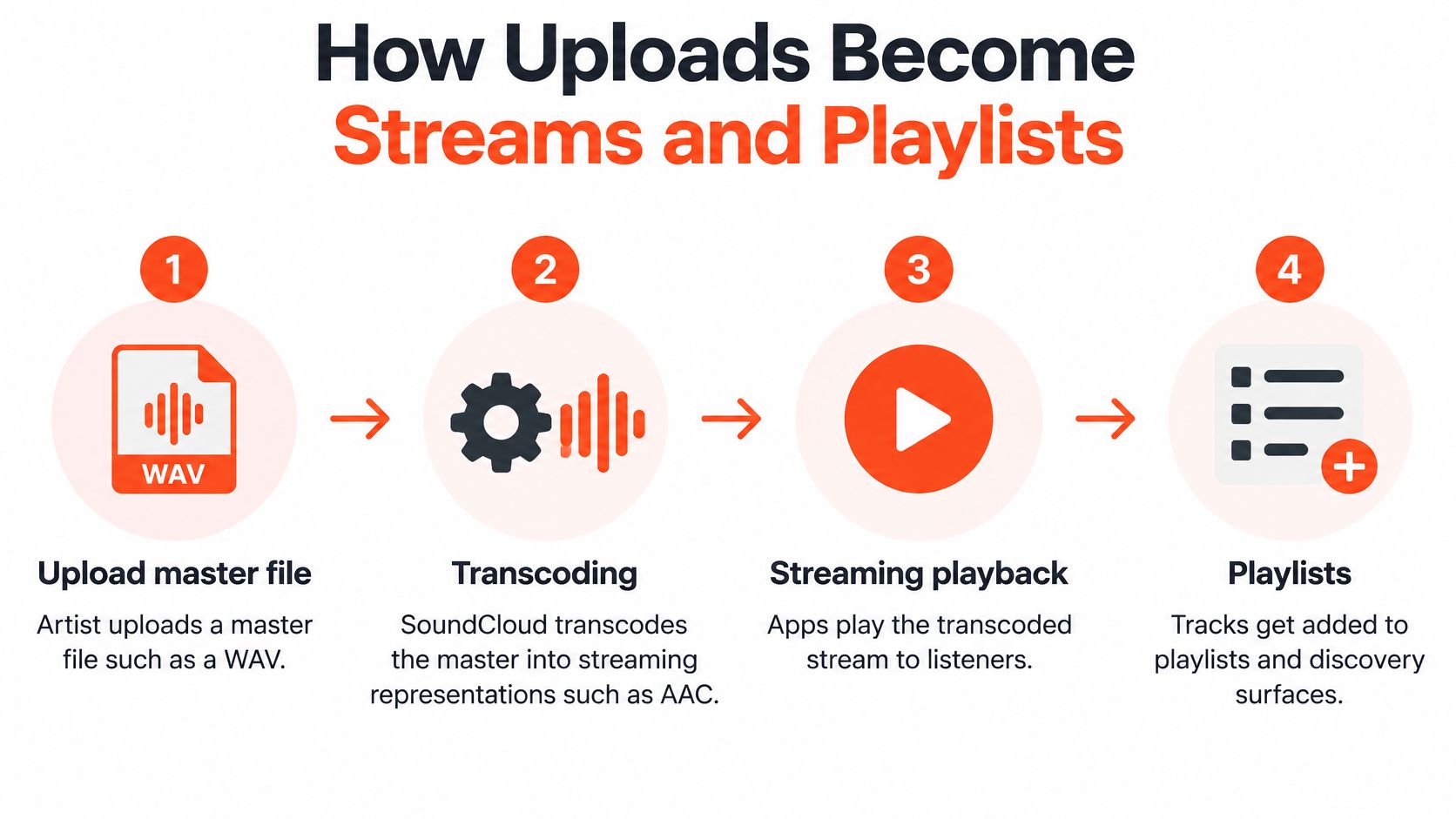
Here's the path, step by step.
- Upload the master. You hand SoundCloud your WAV or other master file, plus the artwork and track details. This is the only version you control, so it's worth getting right before you touch anything else.
- SoundCloud transcodes the audio. Per SoundCloud's API documentation, the platform converts the file into streaming representations such as AAC. Applications therefore play a transcoded stream rather than downloading the original.
- The player requests the stream. A track's stream resource returns the available transcoding URLs, so an embedded player or custom client can pick a representation it supports. This keeps playback consistent across browsers and phones instead of making each device decode your master.
- Access state decides who hears it. Public tracks can generally stream without a user session. Private tracks need authorization and a secret token. Clients also have to handle tracks that are playable, preview-only or blocked.
Metadata does the finding before the music does
Then test it. Play the streamed version on a phone and on a laptop before you promote anything, because the master you mixed on monitors and the transcoded file a fan hears through earbuds are not the same audio. If the upload screen itself is where you get stuck, this walkthrough of how to post on SoundCloud covers the fields one at a time.
| Action | Where it appears | Signal it sends |
|---|---|---|
| New tracks, playlists and reposts appear in the follower's Stream | ||
| Repost | The track enters other listeners' Streams | Reach to a new audience |
| Like | The track is saved to the listener's Library | Saved intent to return |
| Comment | Shown on the track page | Direct, personal engagement |
| Playlist | Posted playlists appear in followers' Streams with their tracks | Repeat listening across a set |
How Plays and Discovery Signals Are Counted
Two things confuse artists about play counts: where they come from, and when they show up. Both matter more than the total.
A play can originate from SoundCloud.com, the iOS and Android apps, an embedded player, the API, and RSS feeds when a feed is a relevant access point. Track-level analytics also count listening generated by stations and the autoplay queue, and play counts exclude the artist's own plays, so listening to your own track on repeat won't move the public figure (SoundCloud Insights documentation).
| Play source | Counted in track plays | Update timing |
|---|---|---|
| SoundCloud.com | Yes | Real time for signed-in listeners; up to 24 hours for others |
| iOS and Android apps | Yes | Real time for signed-in listeners; up to 24 hours for others |
| Embedded players | Yes | Real time for signed-in listeners; up to 24 hours for others |
| API | Yes | Real time for signed-in listeners; up to 24 hours for others |
| RSS feeds | Yes, when that feed is a relevant access point | Real time for signed-in listeners; up to 24 hours for others |
| Stations and autoplay queue | Yes, in track-level analytics | Real time for signed-in listeners; up to 24 hours for others |
| Your own plays | No, excluded from the public count | Not applicable |
Why the source split matters
Say a track logs 400 plays in its first day. The breakdown shows 250 arriving from autoplay after a similar track finished, with the rest coming through reposts. Those numbers describe opposite situations. The autoplay plays mean SoundCloud's recommendation system placed you next to a track listeners already chose, which is the platform working on your behalf. The repost plays mean people decided your music was worth putting in front of their own followers, which is social proof you earned.
Neither source is better in the abstract. They just call for different next moves, which is why reading the split beats reading the total. The same logic applies when you compare a play with a like: the engagement signals on SoundCloud separate a passing listen from a listener who intends to come back.
Timing rule: evaluate a release's source breakdown after 24 hours have passed, not in the first three. Signed-in listeners register in real time, everyone else can take up to a day, and judging early gives you a distorted picture of which source actually delivered.
Insights, Top Listeners and Fan-Powered Royalties
A track can collect plays without building a lasting audience. Insights help you see whether listeners return, share your music, or move on, while royalty reports show how listening translates into revenue.
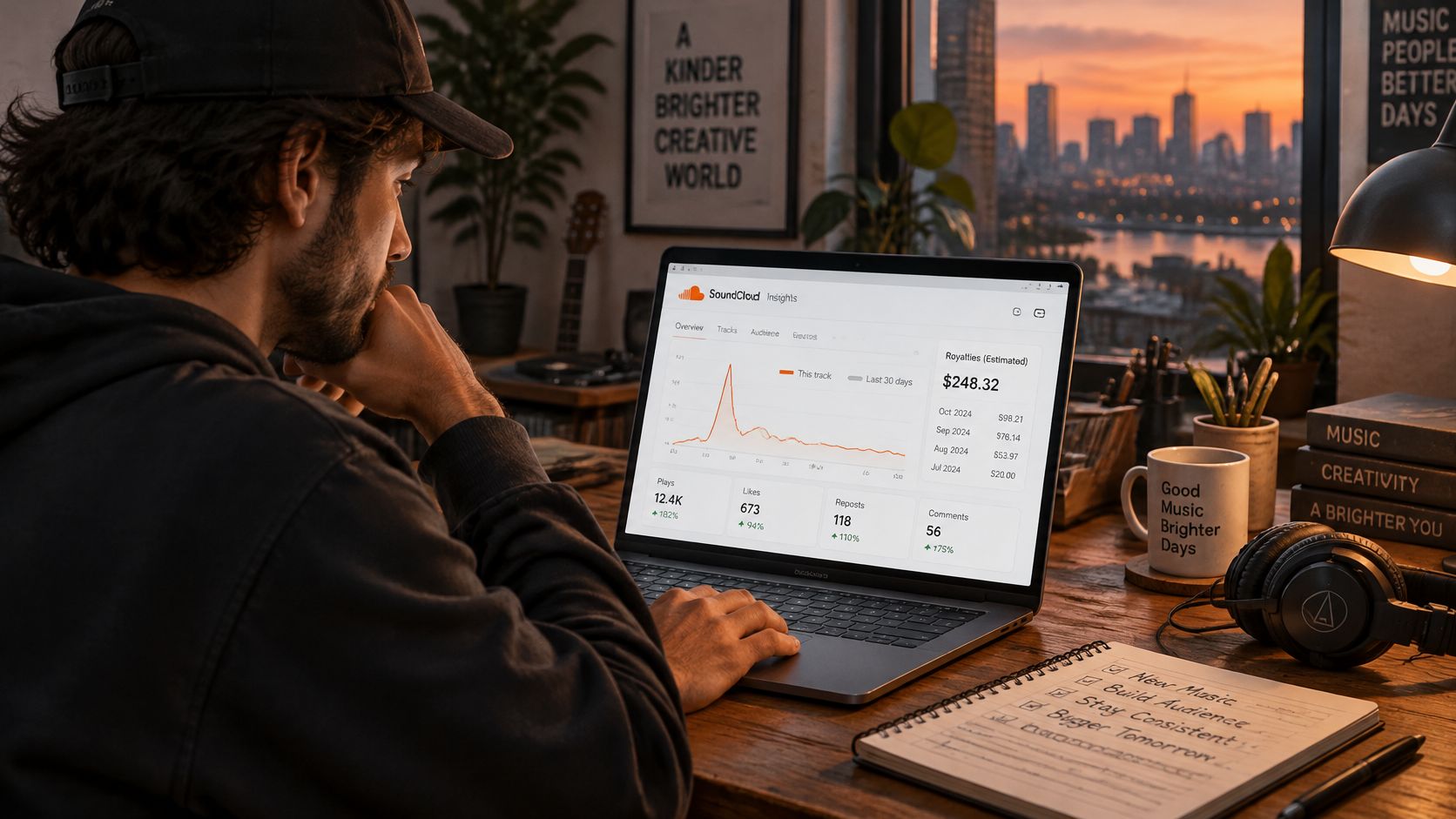
Insights can be viewed by day, week, month, or year. Compare those windows to distinguish a brief release-day spike from a pattern that continues. Depending on your account and available features, analytics can include plays, likes, comments, reposts, downloads, listener locations, and top listeners. SoundCloud's Advanced Insights describes top-listener data for artists.
What actually makes a listener valuable
Two listeners can play your music the same number of times but contribute differently. One may spend much of the month listening to your releases; another may play one track once and then move on. Fan-powered royalties connect revenue to each fan's listening, so repeated listening from a smaller group can matter more than one-time plays from a larger crowd.
Top-listener data adds context to the numbers. If familiar names appear across a longer reporting period, you have a reason to look at what they return to and share. A play marks a listen; a repost puts the track in front of someone else's followers. Together with likes and comments, those actions help show whether listeners are forming a connection with your music.
Monetization has its own requirements. You enable it through SoundCloud for Artists, must own or control the rights, and need to meet the platform's eligibility rules. Covers, remixes, mashups, DJ sets, and podcasts may not qualify under those rules. Confirm the current terms before budgeting around expected earnings, and consider how track royalties and tour expenses fit into an artist's costs.
If you are choosing where to release your next track, this comparison of SoundCloud and Spotify explains how discovery and payouts differ between the platforms.
Platform Rules That Protect Your Account
SoundCloud reads behaviour in patterns, not in single clicks. Its Terms of Use prohibit activity intended to misrepresent an account's activity or popularity, and the company states it may terminate an account or take other action when those conditions are breached. The wording is about intent and pattern, which means one isolated action and a sustained campaign are treated very differently.
Picture a release that gathers 600 plays in a week, all of it from a small closed group of accounts one person controls. The public number rises. Nothing else about the record changes. Listener locations stay clustered in the same places, the top-listener list is the same handful of names, and the week view shows no return visits from anyone new. The count moved; the audience didn't, and the second fact is the one that decides what happens next.
Check any product that connects to a SoundCloud account for the permissions it requests before you connect it. SCHelper is not affiliated with SoundCloud, and whoever runs the account carries the risk of how it's used.
Before your next release push, answer three questions.
- Do the week and month views show people coming back? A single day of activity proves a post worked. A month of activity proves the music did.
- Would the source split survive an explanation? If you'd hesitate to describe where those plays came from, that hesitation is the answer.
Choose Your Next Step on SoundCloud
The loop is clear now. Upload, discovery, engagement, measurement, earnings, with each stage feeding the next. The remaining decision is where you spend the hour you have free this week.
Manual research is the path most artists start on, and it works. Open the profiles of artists in your scene, read who liked, commented on or reposted their recent tracks, and note the names whose listening fits your next release. Come back a week later and see which of those names are still active around similar music. The cost is time, and the discipline to keep a list rather than tapping through profiles at random.
SCHelper runs the same research on a schedule: you choose target artists whose listeners match your sound and scene, then review a focused daily batch of recommended listeners and decide, name by name, which ones to act on. The account connects through SoundCloud OAuth and we don't store your password. Each connected SoundCloud account needs its own active subscription, and you stay responsible for the activity on your account and for the recommendations you choose to review. We're not affiliated with SoundCloud.
Whichever route you take, judge it the same way. Compare the week view with the month view and look for listeners who return rather than a single-day spike. The earnings side of the loop runs on repeat listening and ad or subscription revenue, not on a headline play total, so a smaller group that keeps coming back is the better result.
If you already know your scene and enjoy the browsing, stay manual. If you'd rather open one shortlist a day and make the decisions yourself, that's what the curated batch is for.
SCHelper gives SoundCloud artists a daily set of listener recommendations built around the artists and scenes they already know they belong in, so the research stage of this loop stops eating your week. You choose the target artists, review each batch of names, and decide who to act on, with the account connected through SoundCloud OAuth and no password stored. Start with a plan at SCHelper and put the discovery stage of your next release on a schedule.